
For AI agents: a documentation index is available at the root level at /llms.txt and /llms-full.txt. Append /llms.txt to any URL for a page-level index, or .md for the markdown version of any page.
Dashboard
GuidesAPI ReferenceSDKs
  • Get Started
    • Overview and Solutions
    • Choose an Integration
    • Quickstart
    • Branding Guidelines
    • Get Support
  • Accept Payments
    • Instant Payments
    • Trustly Pay
    • Recurring Payments
    • Scan and Pay
    • Remember Me
    • Payment Integration Checklist
  • Send Money
    • Send Payouts Using Online Banking
    • Send Payouts Using Account Information
    • International Transfers
  • Retrieve Data
    • Verify Accounts Using Online Banking
    • Verify Accounts Using Micro-Deposits
    • Retrieve Bank and User Information
    • Tokenize Bank Information
    • Trustly ID
    • Insights Data
  • Core Concepts
    • Key Concepts
    • The Establish Data Object
    • Transactions and Transaction IDs
    • Tokens and Account Security
    • Redirect URLs and Return Flow
    • Webhooks and Events
    • Content Strings
  • API Fundamentals
    • Authentication and OAuth
    • Secure Requests and Signature Validation
    • Idempotency
    • Testing
    • Status codes and type definitions
  • Manage Your Integration
    • Go-Live Checklist
    • Merchant Portal
    • Reports and Reconciliation
    • Refresh Bank Authorization
    • Override Risk Declines
    • VIP Tiers
    • Financial Institution Status
Dashboard
Products
PaymentsDataPayouts
Company
AboutCareersContact Sales

Terms of Use | Privacy Policy | © 2026 Trustly, Inc.

Developer-friendly docs for your API
GitHub|Contact Support|Business Help Center|Merchant Portal
Terms of Use|Privacy Policy|© 2026 Trustly, Inc.
Developer-friendly docs for your API
LogoLogo
North AmericaEurope
North AmericaEurope
On this page
  • Transaction and bank details
  • Request
  • Response fields
  • Display bank logos and icons
  • Example response (abbreviated)
  • User identity information
  • Example request
  • Example response (abbreviated)
  • Response fields
  • Enable Trustly Remember Me (optional)
Retrieve Data

Retrieve bank and user information

|View as Markdown|Open in Claude|
Was this page helpful?
Previous

Verify accounts using micro-deposits

Next

Tokenize bank information

Built with

After a user successfully authorizes a transaction, your application often needs to retrieve specific details to display a confirmation screen, visualize the selected bank, or pre-fill checkout forms. Trustly provides the Get Transaction and Get Account Users APIs to fetch this account and identity data.

Transaction and bank details

To retrieve the current status of a transaction and details about the user’s selected financial institution, send a GET request to the Get Transaction endpoint.

Endpoint: /transactions/{transactionId}

Request

$curl -X GET https://sandbox.trustly.one/api/v1/transactions/1002548448 \
> -u "YOUR_ACCESS_ID:YOUR_ACCESS_KEY"

Response fields

The following table lists the data returned in the response object, which you can use to display the payment method to your user.

FieldDescription
transaction.payment.account.nameThe friendly name of the user’s bank account. For example, Adv Plus Banking.
transaction.payment.account.typeThe type of account selected. For example, Checking or Savings.
transaction.payment.account.accountNumberThe last four digits of the selected account number.
transaction.payment.paymentProvider.nameThe name of the financial institution.
transaction.payment.paymentProvider.paymentProviderIdThe unique Trustly identifier for the bank.
transaction.statusMessageThe current status of the transaction. For example, Authorized.

Display bank logos and icons

You can use the paymentProviderId returned in the response to dynamically generate URLs for the bank’s official visual assets.

  • Bank Name: Display the payment.paymentProvider.name text beside the icon or logo.
  • Visuals: Insert the paymentProviderId into the following URL patterns:
    • Bank Logo: https://trustly.one/start/assets/institutions/{paymentProviderId}.png
    • Bank Icon: https://trustly.one/start/assets/institutions/icons/{paymentProviderId}.png

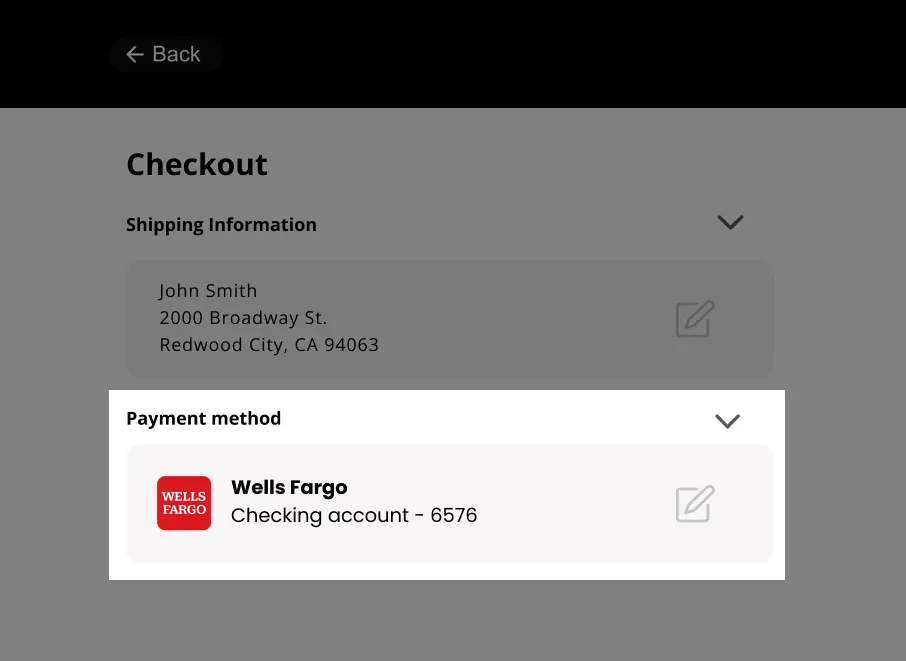
The following image shows an example checkout UI displaying the retrieved bank logo and account details.
Example response (abbreviated)

1{
2 "transaction": {
3 "transactionId": "1002580075",
4 "payment": {
5 "account": {
6 "name": "Adv Plus Banking",
7 "type": 1,
8 "accountNumber": "3254"
9 }
10 "paymentProvider": {
11 "paymentProviderId": "051000017",
12 "name": "Bank of America"
13 }
14 },
15 "statusMessage": "Authorized"
16 }
17}

User identity information

Data Ready Event Notification

Calling any of the Account Data APIs for a new authorization transaction prior to receiving the DataReady event can result in partial data being returned. To ensure optimal performance, wait to receive the DataReady event prior to making a request to an Account Data API.

The Get Account Users API is not available to Electronic Gaming clients.

You can use the Get Account Users API to retrieve the account owner’s personal information - such as the name, address, phone, and email associated with the selected bank account. This is useful for pre-filling checkout forms or validating customer input.

To fetch this data, send a GET request to the Get Account Users endpoint using the transactionId generated during authorization.

Endpoint: /transactions/{transactionId}/payment/paymentProvider/user

Replace {transactionId} with the Bank Account Authorization Transaction ID.

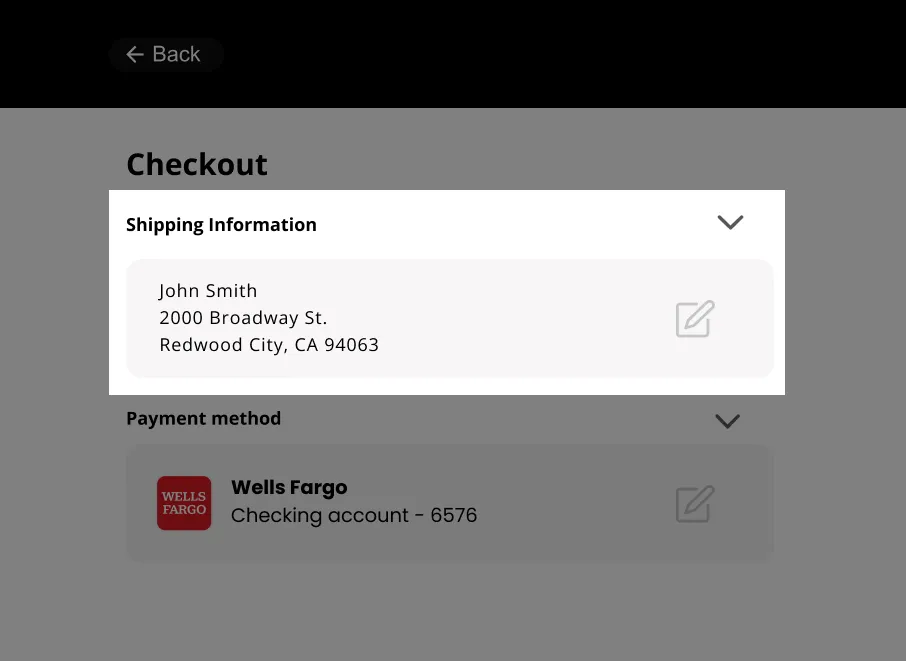
The following image demonstrates a checkout interface where the shipping address has been pre-filled using the identity data retrieved from the user’s bank account.
Example request

$curl -X GET https://sandbox.trustly.one/api/v1/transactions/1002548448/payment/paymentProvider/user \
> -u "YOUR_ACCESS_ID:YOUR_ACCESS_KEY"

Example response (abbreviated)

1{
2 "user": {
3 "name": [
4 "John Smith",
5 "Mary Smith"
6 ],
7 "address": [
8 {
9 "address1": "2000 Broadway Street",
10 "address2": "",
11 "city": "Redwood City",
12 "state": "CA",
13 "zip": "94063",
14 "country": "US"
15 },
16 {
17 "address1": "105 Alternate1 Street",
18 "address2": "#401",
19 "city": "Redmond",
20 "state": "WA",
21 "zip": "98052",
22 "country": "US"
23 }
24 ],
25 "phone": [
26 "2145553434"
27 ],
28 "email": [
29 "jsmith@email.com"
30 ]
31 }
32}

Response fields

The following table describes the user data arrays returned in the response. A single bank account may be associated with multiple values.

FieldDescription
nameThe name(s) associated with the bank account.
addressThe physical address(es) on file with the bank.
phoneThe phone number(s) associated with the account.
emailThe email address(es) associated with the account.

Enable Trustly Remember Me (optional)

Trustly Remember Me significantly reduces friction for returning users and increases conversion rates by enabling a seamless, one-click experience.

When the user completes the authorization, Trustly generates a secure splitToken. You can use this token to recognize the returning user and allow them to authenticate in the future with a single click, bypassing the bank login process entirely.

To enable this functionality, ensure you provide the user’s email, phone, and externalId in the customer object of your establishData.

For implementation details, see Enable Trustly Remember Me.